


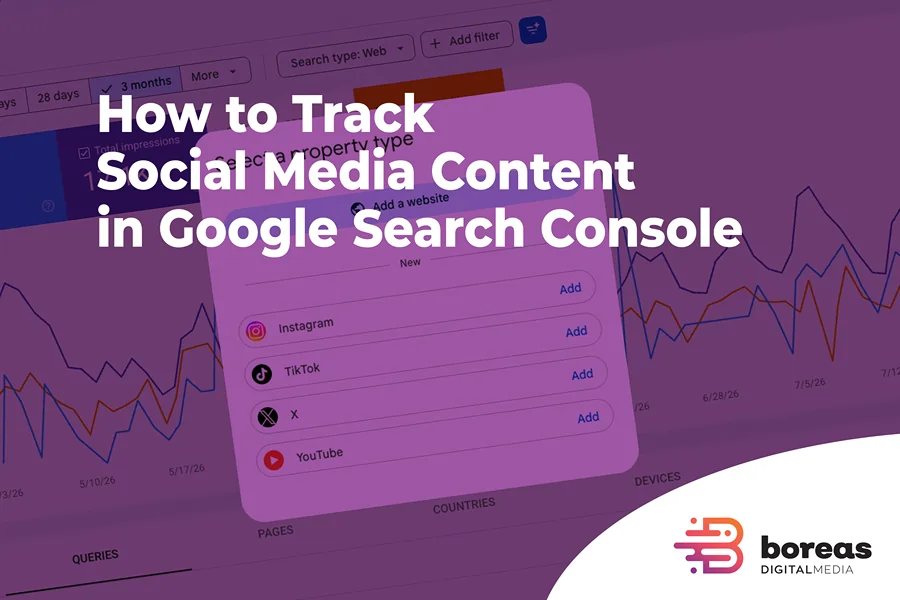
Google Search Console is no longer limited to measuring the performance of websites.
Google has introduced a new type of Search Console property that allows businesses, publishers, and content creators to analyze how content from Instagram, TikTok, X, and YouTube performs across Google Search, Discover, and Google News.
These new properties, officially called platform properties, make it possible to see which Google searches lead users to social media posts, videos, profiles, and channels. They also show how often that content appears on Google and how many clicks it receives.
Google initially announced platform properties on July 7, 2026, following an earlier social channel experiment introduced on December 8, 2025. On July 29, Google confirmed that the feature had become globally available.
This development is particularly relevant for SEO professionals and businesses that publish content across several channels. For the first time, Search Console can provide a more complete view of organic visibility that includes not only website pages, but also videos, social posts, profiles, channels, and other public content hosted on external platforms.
However, it is important to understand exactly what these reports measure.
Search Console does not show what happens inside Instagram, TikTok, X, or YouTube. Instead, it shows how public content from those platforms performs when Google displays it in Search, Discover, or Google News.
That distinction is essential. Platform properties expand the scope of Search Console, but they do not replace the analytics tools provided by the social networks themselves.
What Are Google Search Console Platform Properties?
Traditionally, Search Console properties represented websites, domains, subdomains, or groups of URLs controlled by a website owner.
Platform properties extend this model to accounts and channels hosted on supported third-party services.
At launch, Search Console supports four platforms:
- TikTok
- X
- YouTube
Each account or channel is added as a separate Search Console property.
For example, a business with an Instagram account, a YouTube channel, and a TikTok profile would have three individual platform properties. If the same business manages two Instagram profiles, each profile would need its own property.
This separation allows the performance of each channel to be reviewed independently rather than combining all social activity into a single report.
Platform properties can also be used by creators who do not own a website. Someone who publishes exclusively on YouTube or TikTok can still use Search Console to understand how Google users discover that content. Google specifically describes the feature as useful for content creators, publishers, social media managers, and SEO professionals.
This makes Search Console more useful in an environment where a brand’s organic presence may extend far beyond its own domain.
What Platform Properties Do Not Measure
Platform properties do not replace the analytics tools provided by the individual social networks.
Search Console does not report metrics such as:
- Instagram reach or engagement
- TikTok video views
- YouTube watch time
- Audience retention
- Likes
- Comments
- Shares
- Reposts
- Saves
- Subscriber or follower growth
- Direct messages
- Internal profile visits
- Video completion rates
Instead, the reports focus on activity originating from Google.
For example, Search Console may show that a TikTok video received 500 impressions and 30 clicks from Google. Those numbers do not represent the total number of times the video appeared, played, or was viewed inside TikTok.
The same distinction applies to YouTube. Search Console data represents visibility and traffic generated by Google surfaces, while YouTube Studio reports what happens within YouTube itself.
Instagram Insights may tell you how many accounts a Reel reached, how many people saved it, or how many followers it generated. Search Console may tell you which Google searches caused that Reel to appear and how many users clicked it from a Google result.
These tools should therefore be treated as complementary rather than interchangeable.
How to Add Instagram, TikTok, X, or YouTube to Search Console
Adding a social or video platform property is similar to adding a website property, although ownership verification is completed through the external platform.
To add an account:
- Open Google Search Console.
- Open the property selector in the sidebar.
- Select Add property.
- Choose Instagram, TikTok, X, or YouTube.
- Follow the authorization and verification instructions.
- Sign in using the account associated with the relevant platform.
- Confirm the connection.
- Open the new property once ownership has been verified.
The process must be repeated for every account or channel you want to track.
For example, connecting a YouTube channel does not automatically create properties for the company’s Instagram or TikTok profiles. Each supported account must be added and verified separately.
For security purposes, Google periodically checks that you still have access to the connected account. If the external authorization expires or is revoked, access to the platform property may be paused until the account is authenticated again.
Once the connection is restored, the same reports should become available again. You should not need to create an entirely new property or wait for the data collection process to begin from zero.
It may take several days for data to appear after a property is added. Newly created properties may initially show empty charts, and their historical reports will only include the period since data collection began. Recently created properties may initially display empty or incomplete charts because Search Console only begins showing information once sufficient performance data has been collected and processed.
Google also notes that accounts previously connected through a verified Search profile may be added to Search Console automatically. In that situation, the platform property may already appear in the property selector.
What Reports Are Available?
Platform properties provide access to several familiar Search Console reports.
Performance Report
The Performance report provides detailed information about how content appears and performs on Google.
Depending on the selected Google surface, it may include:
- Total clicks
- Total impressions
- Average click-through rate
- Average position in Google Search
- Search queries
- Individual post or video URLs
- Countries
- Devices
- Dates
- Search appearance
- Google surface or search type
The data can be filtered and compared in much the same way as data from a website property.
This makes it possible to isolate a specific video, compare groups of URLs, review performance in a certain country, or determine which queries generated visibility during a particular period.
Insights Report
The Insights report provides a simpler overview of recent performance.
It can show:
- Traffic trends during the last 28 days
- Top-performing posts or videos
- Search queries used to discover the account
- Groups of related queries
- Query groups trending upward
- Query groups trending downward
- The countries where users are located
- How clicks are distributed across Google surfaces
This report is useful for quickly identifying important changes without having to create several filters manually.
For a deeper analysis, the Performance report provides more control. For a fast overview of what is gaining or losing momentum, the Insights report is often a better starting point.
One reporting detail is worth noting. The top summary card in Search Console Insights includes clicks from different areas of Google, including web, image, video, and news searches. However, some of the detailed cards below it focus specifically on web search traffic. For that reason, the figures shown in the individual cards may not add up to the total displayed in the main summary.
Achievements
Search Console can also show achievements when a platform property reaches a new traffic milestone, such as a new threshold of clicks from Google during a 28-day period.
These notifications are not SEO recommendations, and reaching an achievement does not directly affect rankings. However, they can help identify periods of sustained growth or confirm that Google discovery is becoming a more meaningful source of visibility for the account.
Understanding the Main Metrics
The primary metrics are similar to those available for website properties, but their meaning needs to be considered in the context of social and video content.
A click on a website result, a click on a YouTube video, and an impression inside a short-video carousel do not necessarily represent the same type of user interaction.
Impressions
An impression is recorded when content from the property appears, or can potentially be seen, on a supported Google surface.
This could include:
- A YouTube video displayed in regular search results
- A TikTok video included in a short-video carousel
- An Instagram Reel displayed in a visual result
- An Instagram Story appearing in Search
- A post from X shown in a search feature
- A social profile page appearing as a result
- Content appearing in Discover
- Content appearing in Google News
The exact way impressions are counted depends on the result format.
For standard search results, an impression may be recorded when the item appears on the loaded results page, even when the user does not scroll far enough to see the individual result.
Inside an independently scrolling carousel, however, the item may need to be scrolled into view before the impression is counted. In Discover, the card normally has to be scrolled into view. Google News also applies its own reporting rules.
This means two content formats can accumulate impressions differently even when they appear in response to similar topics.
An increase in impressions means that Google is displaying the content more frequently. It does not necessarily mean that people are clicking it, watching it, visiting the company’s website, or becoming customers.
For that reason, impressions should be analyzed together with clicks, CTR, queries, position, and the specific content receiving the visibility.
Clicks
A click is generally recorded when a user selects a Google result that leads to the social post, video, channel, profile, or another external destination associated with the property.
A click may also be recorded when a video opens in a Google-hosted viewer rather than immediately taking the user to the original platform.
Clicks should not automatically be treated as website visits.
A click on an Instagram result will normally lead toward Instagram or open the content in a Google viewing experience. A click on a YouTube video may lead to YouTube. It does not necessarily generate a session on the company’s website.
Search Console clicks may also differ from visits reported by the platform because each system uses its own attribution, filtering, and counting methodology.
For this reason, platform-property clicks should be interpreted as traffic or interactions generated through Google, not as total visits, video views, leads, or conversions.
Click-Through Rate
Click-through rate, or CTR, is calculated by dividing clicks by impressions.
A post with many impressions and a low CTR is gaining visibility but attracting relatively few clicks.
There are several possible explanations:
- The result may appear in a visually crowded carousel.
- The title or caption may not clearly communicate the value of the content.
- The thumbnail may not stand out.
- The content may only partially match the search intent.
- The result may appear in a lower or less prominent position.
- Users may obtain enough information from the result without clicking.
- A competing result may offer a more specific answer.
- The search feature may encourage browsing rather than immediate selection.
A post with fewer impressions but a high CTR may be highly relevant to a specific query, even if the overall search demand is limited.
CTR should therefore be evaluated by query, URL, format, device, country, and position. There is no universal CTR benchmark that applies equally to a YouTube video, an Instagram Reel, a TikTok post, an X thread, and a conventional website result.
CTR is most useful when comparing similar content types or monitoring the same piece of content over time.
Average Position
Average position represents the highest position occupied by content from the property, averaged across the searches in which that content received an impression.
This metric can be useful for observing trends, but it should not be interpreted as a fixed ranking.
Social and video content frequently appears inside:
- Video carousels
- Short-video blocks
- Visual search features
- Latest-post modules
- “What people are saying” sections
- Other compound search elements
All links inside one of these elements may be assigned the position of the overall container. A video shown within a carousel may therefore receive the same position value as other videos inside that container, even though the user must scroll horizontally to see it.
As a result, the number does not always reflect how visually prominent the individual post was.
Google recommends focusing on changes over time, especially sudden changes, rather than relying only on the absolute position number. Average position is recorded for Google Search results but not in the same way for Discover or the Google News app.
Search Queries
Search queries are likely to be one of the most useful parts of platform properties for SEO and content planning.
The Queries report shows the words users searched before discovering a social profile, post, or video.
These queries may include:
- Brand searches
- Product or service searches
- Informational questions
- Local searches
- Comparisons
- Problems users are trying to solve
- Trending topics
- Searches that were not part of the original content strategy
- Questions that are not yet addressed on the company’s website
Search Console Insights can also group related queries and identify groups that are trending upward or downward.
This information can influence future video topics, article ideas, captions, headings, FAQs, page sections, and even the language used on service pages.
It also helps reveal how Google interprets the subject of a social account.
If a company publishes content about one service but receives impressions mainly for an unrelated topic, that may indicate a lack of topical clarity. If Google consistently associates a channel with a particular subject, it may also identify an area in which the business is beginning to establish meaningful visibility.
Top-Performing Content
The reports show which individual social URLs generate the most impressions and clicks from Google.
This creates an important distinction between performance inside the platform and performance in search.
A video may receive only moderate engagement inside TikTok but continue attracting Google impressions for several months because it answers a recurring question.
The opposite can also happen. A post may go viral inside a social network but generate little visibility in Google because it depends on a short-lived trend, internal platform recommendations, private engagement signals, or a topic with limited search demand.
Comparing these two types of performance can help determine which content has lasting search value.
A post with modest social engagement but sustained Google visibility may be a strong candidate for expansion into a website article, longer video, FAQ, downloadable resource, or service-page section.
Countries, Devices, and Google Surfaces
Platform-property data can be segmented by country, device, date, query, and URL.
This allows businesses to answer questions such as:
- Which posts perform best in specific countries?
- Is the audience primarily using mobile devices?
- Are some videos discovered more often on desktop?
- Does one topic perform better in Discover than in traditional Search?
- Are users in an unexpected market finding the content?
- Did a recent post create a sudden increase in traffic?
- Does one content format perform differently by device?
- Are certain search topics concentrated in a particular country?
Discover and Google News reports only become available when the property receives sufficient relevant traffic from those surfaces.
A missing Discover or Google News report does not necessarily indicate a configuration problem. It may simply mean the account has not yet received enough eligible impressions or clicks from that part of Google.
How to Analyze Instagram Content
Instagram platform properties can help businesses understand how their public Instagram content is discovered through Google.
Depending on what Google indexes and displays, the property may include profile pages, regular posts, Reels, Stories, and other publicly accessible Instagram URLs.
Useful analyses include:
- Comparing Reels with standard posts
- Identifying posts that continue to generate impressions over time
- Finding branded and non-branded queries
- Discovering topics that may deserve a more detailed website page
- Reviewing whether captions accurately describe the content
- Identifying visual topics with evergreen search potential
- Comparing mobile and desktop discovery
- Identifying posts that are visible in countries outside the primary market
Google recommends comparing Instagram post URLs containing /p/ with Reel URLs containing /reels/. This makes it possible to evaluate whether short-form video or standard posts generate more Google visibility.
The comparison should not be interpreted only in terms of which format produces the most clicks.
A Reel may attract more impressions because it appears in visual or short-video features, while a standard post may receive fewer impressions but a stronger CTR for highly specific searches.
Search Console data should then be compared with Instagram Insights.
Search Console explains how the content performs on Google. Instagram Insights explains reach, engagement, follows, saves, shares, and other activity within Instagram.
Together, the tools can reveal whether a post is succeeding primarily through Instagram’s internal distribution, through Google discovery, or through both.
How to Analyze YouTube Content
YouTube may offer some of the strongest SEO applications because videos already appear frequently in Google Search.
A YouTube platform property can help analyze:
- Standard videos
- YouTube Shorts
- Channel pages
- Playlist pages
- Other public URLs associated with the channel
Search Console can be used to identify which Google queries lead to specific videos and whether those videos continue receiving search visibility after their initial publication.
It can also help answer questions such as:
- Which videos attract non-branded searches?
- Which topics have long-term search demand?
- Are Shorts or long-form videos generating more Google traffic?
- Which video titles produce high impressions but low CTR?
- Are users finding the channel through questions not covered on the website?
- Do certain videos perform better in one country?
- Are old tutorials regaining visibility?
- Which topics should be developed into a series?
YouTube Shorts and conventional videos can be compared by filtering URLs containing /shorts/ and /watch.
Playlist pages can also be analyzed, although the data applies to the playlist page itself rather than the combined performance of every video contained within it.
Search Console CTR should not be confused with the impressions click-through rate shown in YouTube Studio. The two tools measure activity in different environments.
Search Console measures how people respond when YouTube content appears on Google. YouTube Studio measures how viewers interact with thumbnails and videos across YouTube’s own surfaces.
A video can therefore have a strong Search Console CTR and a very different YouTube Studio CTR without either report being incorrect.
How to Analyze TikTok Content
TikTok platform properties provide visibility into the Google searches that lead users to TikTok videos and profile content.
The 24-hour filter can be particularly useful for identifying a recent video that is beginning to gain traction in Google Search.
When a sudden increase appears, a business could:
- Publish a related follow-up video
- Reuse the topic on Instagram or YouTube
- Create a more detailed article
- Add the topic to an existing service page
- Adjust captions to better match the language users search
- Promote the post through another channel
- Create a series addressing related questions
- Compare the trend with wider search interest
Google specifically recommends combining this type of monitoring with Google Trends to determine whether the topic is part of a broader increase in search interest.
For example, an isolated increase affecting one video could reflect improved visibility for that specific URL. A simultaneous increase in Search Console and Google Trends may indicate that public interest in the broader topic is growing.
Search Console does not report TikTok watch time, completion rate, internal impressions, shares, saves, or follower activity. Those metrics still need to be reviewed inside TikTok’s own analytics.
The strongest insights often come from comparing both environments.
A TikTok may perform well inside the platform because it is entertaining or timely. Another may perform well in Google because it answers a clear and recurring question. Each type of success can support a different content objective.
How to Analyze Content From X
An X platform property can show which public account pages and posts are appearing in Google and which queries lead users to them.
This may be useful for companies and professionals that publish:
- Industry commentary
- News and updates
- Educational threads
- Product announcements
- Event information
- Responses to current issues
- Expert opinions
- Research findings
- Practical tips
The analysis should focus on the difference between short-lived and evergreen visibility.
A post about a current event may generate a brief spike in impressions. An educational thread answering a common question may continue appearing for months.
Queries from X can also uncover questions that deserve a more permanent format, such as an article, guide, FAQ, case study, or website resource.
A useful workflow would be to identify X posts that repeatedly attract Google impressions and then determine whether the information should be expanded and hosted on an owned platform.
As with the other channels, Search Console does not report internal X impressions, replies, reposts, likes, bookmarks, or follower growth.
How to Integrate Platform Data Into SEO Operations
The main value of platform properties is not simply that Search Console can now display social media data.
The real value comes from connecting this information with keyword research, website performance, audience behavior, and a broader SEO strategy.
Establish a Baseline
The first step is to document the initial performance of each property.
A monthly review could record:
- Clicks
- Impressions
- CTR
- Average position
- Top queries
- Top-performing posts
- Devices
- Countries
- Sudden gains or losses
- Content formats
- Changes made during the period
Comparing the latest 28 days with the previous 28 days provides a manageable starting point.
The purpose is not to demand constant growth from every channel. Social and video visibility can be volatile, particularly when content is tied to trends, news, seasonality, or new releases.
The goal is to understand what normal performance looks like so that meaningful changes become easier to recognize.
Classify Search Queries
Queries can be separated into practical groups:
- Branded
- Products or services
- Informational
- Local
- Commercial
- Comparisons
- Problems or pain points
- Trends
- Topics not yet covered by the website
This classification helps clarify the role each channel plays.
For example, Instagram may generate mostly branded searches, while YouTube generates broader informational discovery. TikTok may reveal emerging questions, while the website captures users who are closer to choosing a service or making a purchase.
These patterns can help a business decide what each platform should contribute to the wider content strategy.
Find Website Content Gaps
One of the strongest SEO applications is finding relevant queries for which social content appears but the website has no equivalent page.
A video that performs for a useful informational search could become:
- A blog article
- A section on a service page
- A frequently asked question
- A detailed guide
- A case study
- A downloadable resource
- A video embedded within a related page
Before creating a new page, the business should confirm that the topic is genuinely relevant to its audience and does not duplicate content already covered elsewhere on the website.
The process can also work in the opposite direction.
A website page that already performs well in Search can provide the source material for a YouTube video, TikTok post, Instagram Reel, or educational thread on X.
This creates a connected content system instead of treating every channel as an independent publishing calendar.
Compare Content Formats
Different formats may perform differently for the same topic.
A detailed YouTube tutorial may generate stronger search visibility than a short TikTok version. An Instagram Reel may outperform a standard post. A website guide may capture commercial searches while a video attracts informational ones.
Search Console allows these differences to be studied using URL filters and comparison mode.
Google recommends, for example, comparing YouTube /watch URLs with /shorts/ URLs or Instagram /p/ URLs with /reels/ URLs. Data from separate platform properties can also be exported into a spreadsheet when a direct cross-platform comparison is needed.
The objective should not always be to identify one universally superior format.
A short-form video may be effective for introducing a topic, while a long-form video or article provides the depth needed to answer the full query. Different formats can support different stages of discovery.
Monitor Older Content That Regains Visibility
Social content does not always have a short lifespan.
An older video or post can begin receiving impressions again because of:
- Seasonal demand
- A news event
- A new product release
- A cultural trend
- Changes in search behavior
- Renewed interest in an older topic
- A related viral post
- Increased visibility of the account
When this happens, possible actions include:
- Updating the title or caption
- Pinning the content
- Publishing a follow-up
- Creating a more detailed version
- Sharing it on another platform
- Expanding the topic on the website
- Linking to a relevant service or resource
- Updating an older article that covers the same subject
Search Console annotations can be used to record when a title, caption, or other external element was changed. Performance before and after the update can then be compared more easily.
The comparison will not always prove that the edit caused the performance change, but it provides useful context when reviewing the timeline.
Connect Search Console With Other Analytics Tools
Platform-property data should not be reviewed in isolation.
A more complete analysis may include:
- Website properties in Search Console
- Platform properties in Search Console
- Google Analytics
- Instagram Insights
- TikTok Analytics
- YouTube Studio
- X analytics
- Google Trends
- Lead and conversion data
- Sales or CRM information
Each tool answers a different question.
Search Console shows how content is discovered through Google. Social analytics show what users do inside each platform. Google Analytics shows what happens when users reach the website. Conversion and sales systems show whether the activity contributes to a business outcome.
Without this distinction, it would be easy to overstate the value of a platform-property click or incorrectly attribute a lead to social content.
Incorporate Platform Properties Into Monthly SEO Reporting
Businesses that actively publish on supported platforms may benefit from adding a dedicated section to their regular SEO report.
That section could include:
- Changes in Google visibility by platform
- Top social or video URLs
- Queries with increasing demand
- Content that regained visibility
- Gaps between social content and website content
- Cross-platform opportunities
- Recommended updates for titles or captions
- New article or video ideas
- Relevant changes in audience geography
The report should separate website performance from platform performance.
A combined overview may be useful, but website clicks and platform clicks should not be added together and labeled as total website traffic.
What We Should Not Conclude From These Reports
Adding an Instagram, TikTok, X, or YouTube property to Search Console does not cause Google to rank that content more often.
Verification provides access to reporting. It is not a ranking factor or an optimization action.
It is also important not to combine website clicks and social-property clicks as though they all represented website sessions.
A click on a YouTube result usually leads to YouTube or opens a Google video experience. A click on an Instagram result generally leads toward Instagram or its content. These interactions may increase exposure, brand familiarity, and future demand, but they should not automatically be counted as website traffic or leads.
The reports also cannot prove that social engagement directly improved website rankings.
Platform properties can reveal overlapping topics, queries, and audience behavior, but correlation should not be confused with causation.
Other limitations to keep in mind include:
- Recently created properties may contain only partial data.
- Some queries may be omitted for privacy reasons.
- Discover and Google News reports require sufficient eligible activity.
- Average position does not always reflect the visual prominence of carousel content.
- Changes in impressions may reflect changes in search demand or result formats, not only content quality.
- Search Console data and social-platform data may use different attribution rules.
- A click does not necessarily represent a completed video view or meaningful engagement.
These limitations do not make the reports less valuable. They simply determine how the data should be interpreted.
A Broader View of Organic Visibility
Google’s introduction of platform properties reflects how search behavior and content discovery have changed.
A business may now appear during the same search journey through:
- Its website
- A YouTube video
- An Instagram Reel
- A TikTok post
- An X thread
- A Google Business Profile
- A third-party review
- A news article
- A directory listing
Looking only at website rankings provides an incomplete view of how people discover the business.
Platform properties do not solve every measurement problem, but they provide a valuable new source of information: the Google searches, impressions, clicks, content, countries, and devices associated with social and video channels.
When incorporated into regular SEO reporting, this information can help businesses identify content opportunities, understand the language their audience uses, reuse successful topics, coordinate website and social publishing, and recognize content that has lasting value beyond its original platform.
SEO should not be limited to monitoring rankings. It should also help explain where, how, and why people discover a business.
For companies publishing regularly across several platforms, reviewing website and platform properties together offers a more realistic view of their organic presence.
Need help making sense of Search Console data or connecting it with a broader organic strategy? Learn more about our SEO services and how Boreas Digital Media helps businesses turn performance data into practical content and optimization decisions.